顯示具有 手機鑑識 標籤的文章。 顯示所有文章

Mobile Device Forensic Process v3.0

Cindy Murphy has updated her paper on a process for Mobile Device Evidence and Data Extraction. We at DFM are happy to help get this into the hands of Digital Forensic Investigators globally and whilst it has not been reviewed through our normal technical review process we are happy to help publicise this piece of much needed work. The article is available for download using the link below or subscribers to Digital Forensics Magazine can download the paper from the White Papers Downloads Section of the DFM Website.

Cindy Murphy is a Detective with the City of Madison, WI Police Department and has been a Law Enforcement Officer since 1985. She is a certified forensic examiner (EnCE, CCFT-A, DFCP), and has been involved in computer forensics since 1999. Det. Murphy has directly participated in the examination of hundreds of hard drives, cell phones, and other digital evidence pursuant to criminal investigations including homicides, missing persons, computer intrusions, sexual assaults, child pornography, financial crimes, and various other crimes. She has testified as a computer forensics expert in state and federal court on numerous occasions, using her knowledge and skills to assist in the successful investigation and prosecution of criminal cases involving digital evidence. She is also a part time digital forensics instructor at Madison Area Technical College, and is currently working on her MSc in Forensic Computing and Cyber Crime Investigation through University College in Dublin, Ireland.

 Mobile Device Forensic Process v3.0 (8)

轉自:http://digitalforensicsmagazine.com/blogs/?p=437

WhatsApp Xtract

I don't want to bore you explaining what is WhatsApp . If you have this serious gap, you can fill it here . Forensically speaking, WhatsApp was a very cool app until the last June. After that, someone had decided to add the extension “crypt” to such excellent source of information which was msgstore.db .

This database stores information about contacts and also entire conversations.
But simply opening it with SQLite Browser , you can have some troubles in extracting a single chat session with a desired contact, or in reordering the messages. My last python script wants to overcome these problems, avoiding to deal with complex SQL queries.


轉自 http://blog.digital-forensics.it/2011/12/whatsapp-xtract.html


What WhatsApp doesn't tell you...

It is the 'top' app in the mobile world, almost immediately followed the ' give me your mobile number ' request comes the following question ' Do you have WhatsApp? '. Clearly this application is changing the concept of free SMS messaging.

Alberto warned about insecurity issues in how WhatsApp transmits data in plain text and what this means in shared environments.


Today we have to talk about the inside, the way in which WhatsApp stores and manages its data.
Looking from within the file structure of the application we have two files called msgstore.db and wa.db (locations vary, of course, between Android and iPhone). These files are in SQLite format.

Once we import these files with a tool to browse inside their content (eg SQLite Manager), here comes the first surprise: none of the information contained is encrypted .
Contacts are stored in wa.db and EVERY sent messages are in msgstore.db .


Wait a sec, did I say EVERY?
Absolutely, every sent and received messages are there. And why "EVERY" is in uppercase?, simply because although theoretically WhatsApp give us the opportunity through its graphical interface to delete conversations, the reality is that they still remain in the database ad infinitum.

And the issue is even more fun if we sent or received messages at a time which GPS was enabled, because WhatsApp also stores coordinates in msgstore.db


In the case of Android there are even more important things stored that might be of interest to a forensic investigator - or maybe a jealous boyfriend/girlfriend. Apparently WhatsApp is configured by default with a very 'verbose' level of logging and store, within the directory / files / Logs, files with this appearance:

# pwd
/data/data/com.whatsapp/files/Logs
# ls
whatsapp-2011-06-06.1.log.gz whatsapp-2011-06-09.1.log.gz
whatsapp-2011-06-07.1.log.gz whatsapp.log
whatsapp-2011-06-08.1.log.gz
#

In these files are recorded every XMPP transactions made by the application with a very high verbose (debug) level, with the timestamp of when it receives or sends a message (among other things).

011-06-09 00:47:21.799 xmpp/reader/read/message 346XXXXXXX@s.whatsapp.net 1307XXXXXX-30 0 false false

These files are easily "parseable" to extract the ratio of mobile numbers which has maintained some kind of conversation with us. I created a small script that parses the file and pulls out this list of numbers:

  import re
 import sys


 logfile = sys.argv[1]
 logdata = open(logfile,"r")
 dump = logdata.readlines()

 numerosin = []
 numerosout = []

 for line in dump:

        m = re.search('(?<=xmpp/reader/read/message )\d+', line)

       if m:

                if not numerosin.count(m.group(0)):

                        numerosin.append(m.group(0))


        m = re.search('(?<=xmpp/writer/write/message/receipt )\d+', line)

        if m:

                if not numerosout.count(m.group(0)):

                        numerosout.append(m.group(0))

 print "Messages received from\n"
 print "\n".join(numerosin)
 print "\nMessages sent to\n"
 print "\n".join(numerosout) 

Executing the script, it will ouput the information as follows:

$ python whatsnumbers.py whatsapp-2011-06-08.1.log
Messages received form

34611111111
34622222222

Messages sent to

34611111111
34622222222
 
轉自  http://www.securitybydefault.com/2011/06/what-whatsapp-doesnt-tell-you.html

Android邏輯數據手動提取和分析

Android邏輯數據手動提取和分析

1. SMS、MMS相關信息的手動提取
首先,通過鏡像或者具備ROOT權限的程序將以下文件夾完整提取:
image
以下分別對各個目錄進行解釋:
  • App_parts:
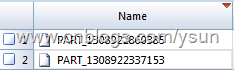
手機中收發的彩信附件,如圖片:
image
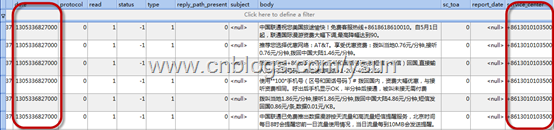
該文件是以附件添加/收到的時間命名的,時間戳採用毫秒換算,由於不熟悉C語言哭泣的脸,只能用Excel做一個換算式:
image
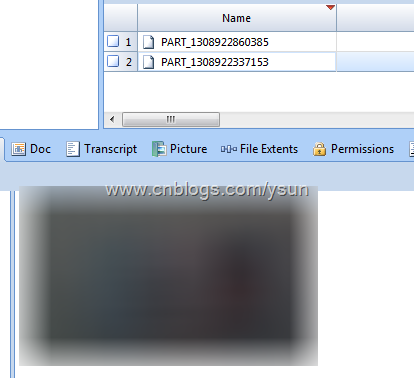
文件解析為圖片:
image
  • Databases
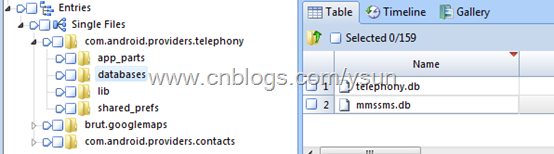
該文件夾下包含兩個文件:
image
分別包含手機APN信息:
image
手機短信、彩信中包含的所有號碼信息(推薦號碼/典型號碼):
image
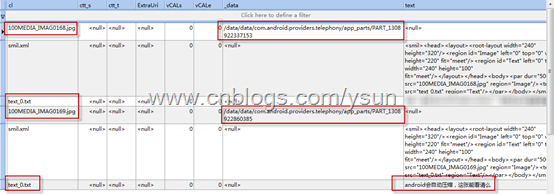
以保存(已發送/已接收)的彩信結構:
image
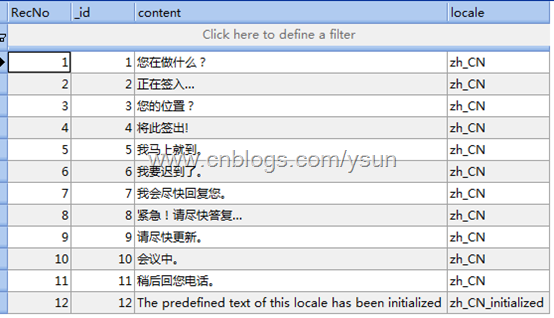
快速回覆短信:
image
全部短信內容:
image
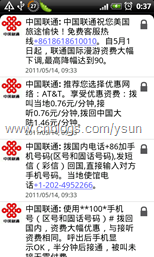
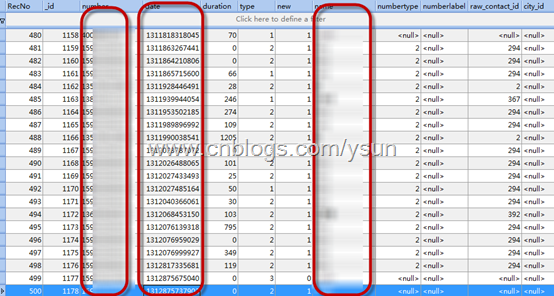
提取出的數據經時間戳轉化後與原信息無異。
imageimage
2. 通訊錄手動提取和解析
手機中設置同步的Gmail帳戶:
image
最近500條通話記錄:
image
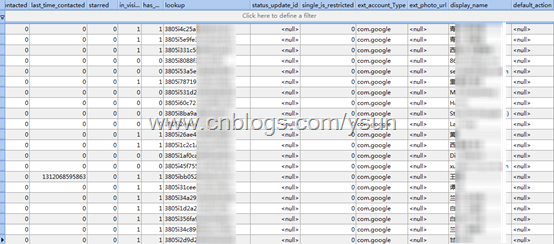
所有聯繫人:
image
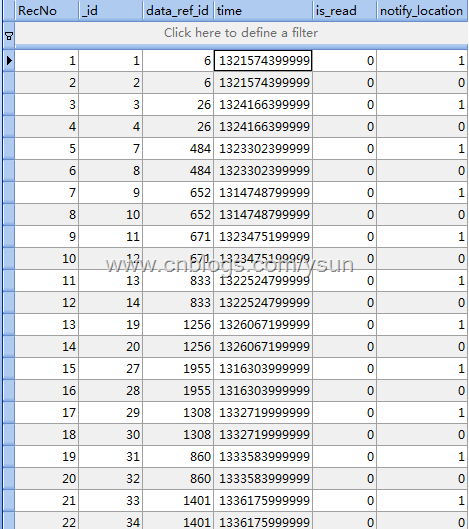
所有事件(如聯繫人生日)保存信息:
image
聯繫人分組:
image
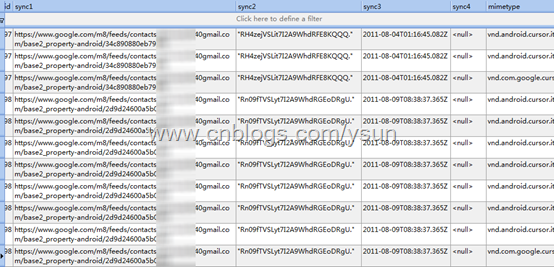
所有聯繫人對應Gmail服務器的同步地址:
image

從以上分析可以看出,Android系統的邏輯數據與應用程序一樣,存儲結構都比較簡單,且基本不採用加密,取證人員掌握簡單的取證技術均可實現手動提取和分析。
作者後期還將繼續針對Android和iOS等智能手機系統的取證進行深入探究,歡迎各位從事計算機取證工作的朋友及時批評指正,共同探討學習。


轉自 http://www.cnblogs.com/ysun/archive/2011/08/12/2136766.html

EnCase v7 簡介

Guidance 將於今年年底之前發佈EnCase v7,今日拿到了v7測試版本,下面對新功能進行簡要介紹並截圖說明。
(Version 7.0.20.13)

新用戶界面

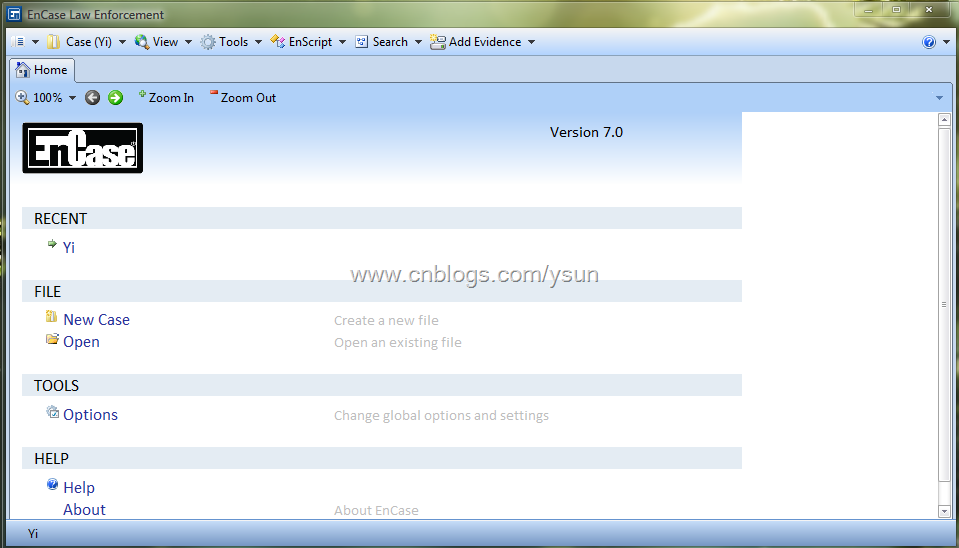
EnCase v7相對於傳統的v5、v6界面有了較大改變,一改以往的四格和多級Tab界面,而採用了單頁面多窗口的「瀏覽器式」風格,估計會讓很多v6用戶感到極不適應。

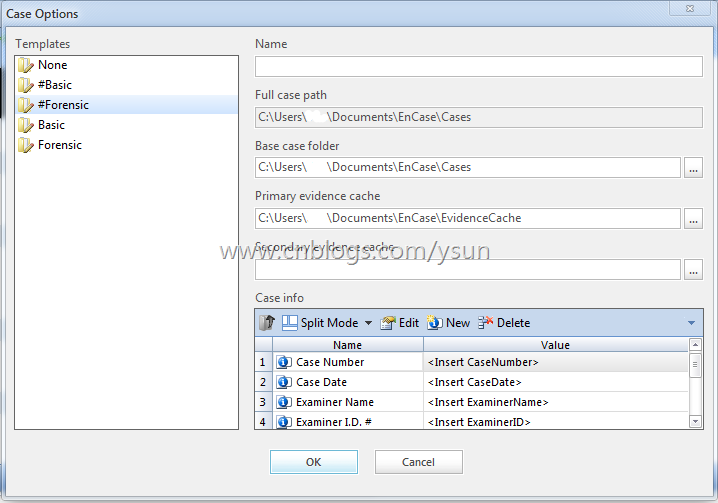
image

新建案例窗口,案例信息採用模板方式,調查人員可根據自己需要定製案例信息模板


image

主界面窗口

image

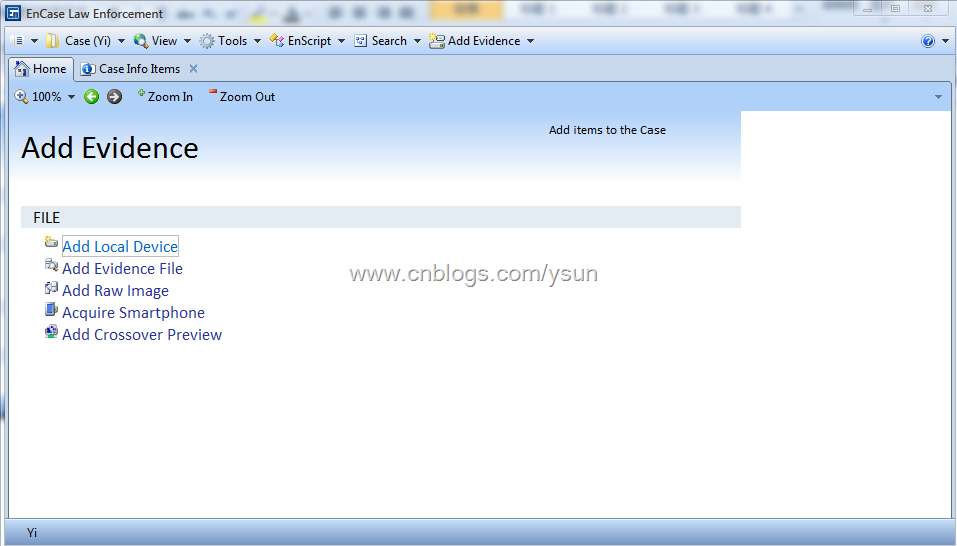
添加證據界面,新版本將Neutrino整合,可直接添加智能手機,這也是v7的一大新功能。

image

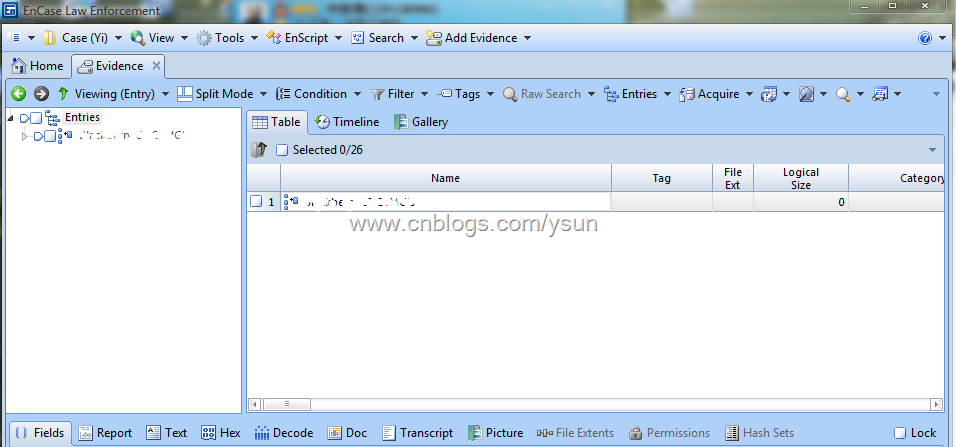
Entries部分,之前的多級標籤式結構已經變為單級標籤+前後頁面導航

新功能和改進

1. 新的案例信息界面(見上節)
2. 關聯Hash Library:新的散列庫功能允許用戶指定一個Primary和一個Secondary散列庫,方便在調查時使用多個散列集以及針對特定案件指定特定散列集。
3. 添加案例部分,界面進行了較大改進,把原來的Source樹形結構+Sessions、物理內存、進程內存三個複選框改為了嚮導式選擇,並提供DCO支持。
4. 獲取:新的證據文件界面如下,如需對加載驅動器進行獲取,則需要進行Evidence Process,這也是v7的一個新功能,將簽名校驗、哈希計算等整合在「案例處理器」中(案例處理器後述),個人認為這是EnCase 「FTK化」的標誌之一
image

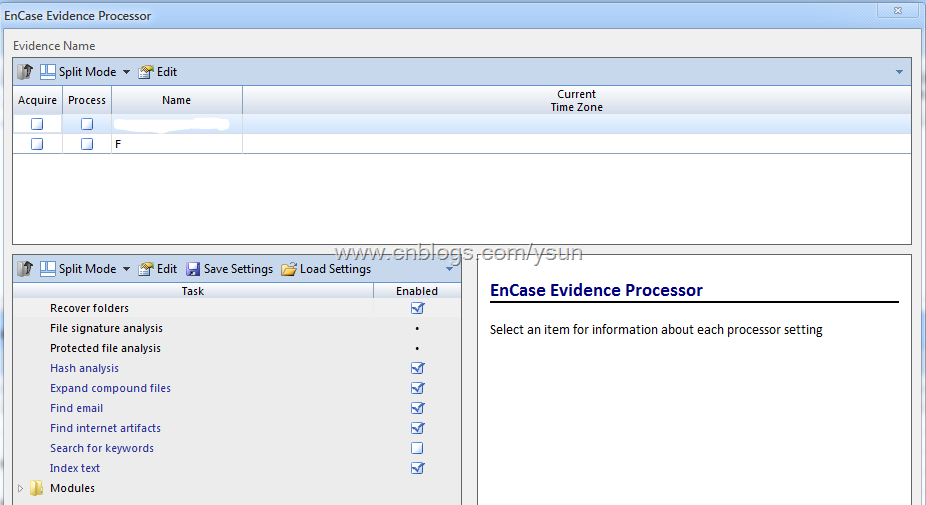
Evidence Processor

image

獲取選項,可以看到新的證據文件格式Ex01


5. 新證據文件格式Ex01:Guidance秉承了他們只要更新版本就會有大改動的「優良傳統」,此次推出了Ex01格式,官方解釋是由於E01已不能夠滿 足新版本EnCase的需求,且v7很多功能都需要新的證據文件格式配合(如Indexing),新的Ex01較E01的主要改變在於,內部數據塊全部加 密,加密方式為AES,同時,原有的壓縮選項由三項改為兩項「啟用」和「禁用」,證據文件散列自校驗支持MD5、SHA-1以及MD5+SHA-1。
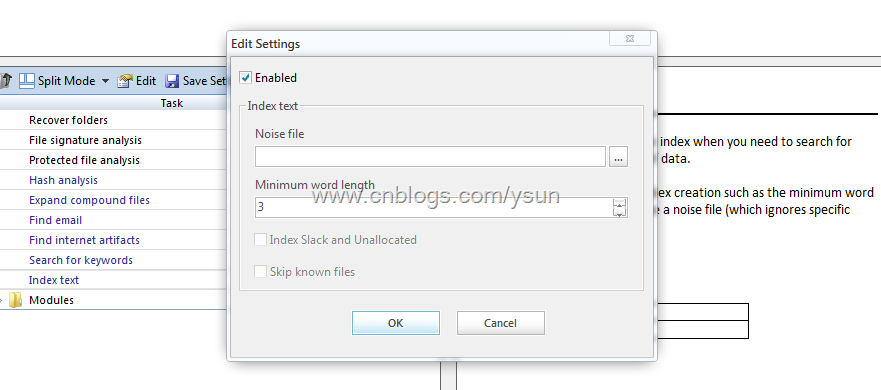
6. 證據文件處理器:Evidence Processor,新功能,整合了Recover Folders、文件簽名分析、查找加密文件(與Passware合作)、散列分析、展開符合文件、查找電子郵件、查找互聯網信息、關鍵字搜索(值得一提 的新功能,不需建立全局關鍵詞或者案例關鍵詞,直接輸入關鍵詞便可進行查找,便於初期分析)、索引(值得一提,全新的索引引擎,可以添加Noise File,並且支持在殘留區和未分配空間索引,Guidance開發經理號稱這個是他們自己開發的一項與眾不同的技術)。
    需注意的是,v7的Evidence Processor是支持多線程處理的。
image

Evidence Processor 中的索引選項

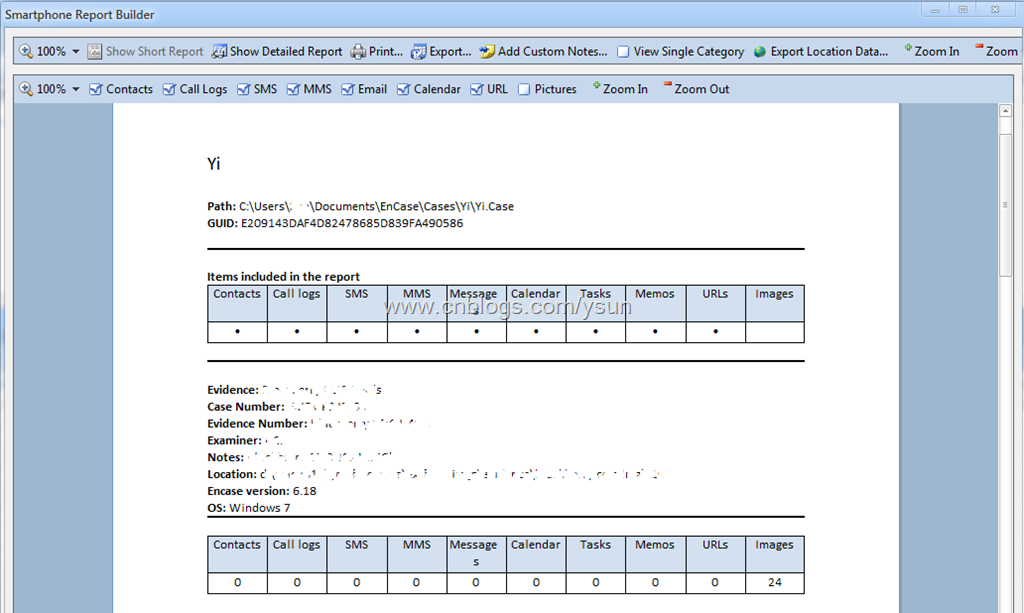
7.  智能手機支持:雖說相對於Oxygen和Paraben還具有一定差距,但畢竟EnCase不是Cell Phone Forensic軟件,所以能提供這樣的功能客觀地說已經比較難得,不過這部分在最終發佈時可能還會採取單獨的模塊銷售。
image
image

智能手機報告生成器,可自動對添加的手機證據文件生成報告,值得一提的是,可以把手機(或GPS)當中的地理位置信息或包含地理位置信息的圖片直接生成為kmz, 可使用Google Earth直接打開查看,非常方便

image

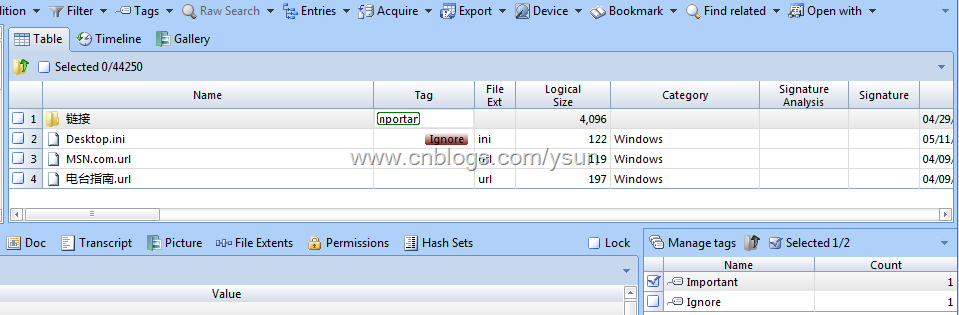
Tag,"FTK化"的又一典型標誌

8. 報告
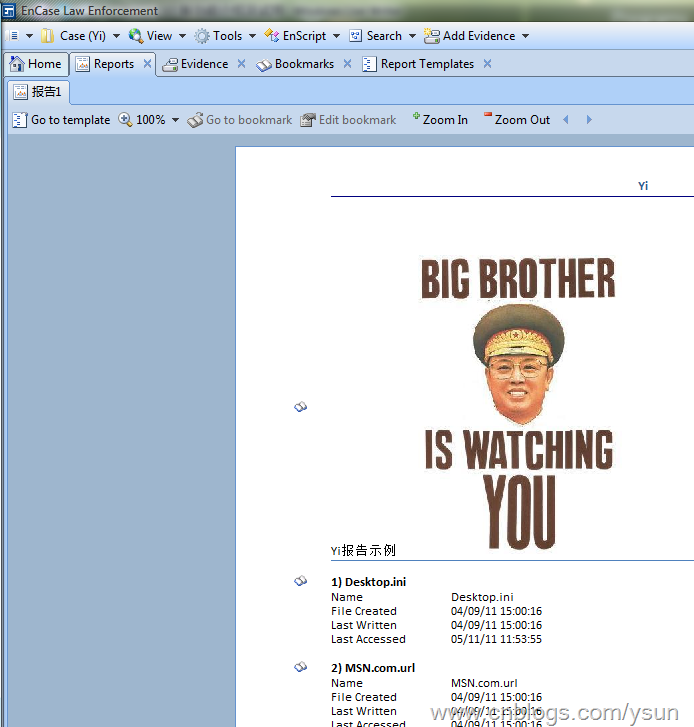
在v7中,報告功能得到了極大增強,用戶可以定製自己的模板,Guidance甚至允許用戶直接使用代碼編輯報告模板(相似於html代碼,使用非常簡單)
image

報告模板代碼編輯頁面

image

可隨時預覽的報告

9. 打包,v7允許用戶將案例、證據文件、Primary&Secondary Cache打包保存或轉移,(//這應該是EnCase轉向網絡調查方向的一個標誌),可供用戶選擇的有副本、存檔和自定義模式。
image

另外,v7中,EnScript語言也進行了一些改動,在此不再贅述。
總之,EnCase v7功能上的改動很大,後續使用感受擇日再發。


轉自 http://www.cnblogs.com/ysun/archive/2011/05/23/2054580.html

iOS 4 (iPhone/iPad/iPod Touch) 密碼破解

蘋果iOS 4中,文件系統是加密的,且用戶可以通過設置鎖屏密碼來保護自己的iOS設備
不知道有沒有手機取證調查人員記得,在iOS 3中,可以通過刪除keychain和springboard兩個文件來實現清空密碼,但在iOS 4中,這個方法無效,只會導致所有賬戶保存設置丟失。
那麼,手機取證調查人員如何才能繞過或者破解iOS 4設備的密碼呢?
CelleBrite近期推出了Physical Analyzer 2.2.1版本,該版本新增了針對iOS 4設備的密碼破解功能

可以完整恢復iPhone 4、iPad等iOS 4設備(含4.3.3、4.3.4和4.3.5)的密碼,並能夠對1G系統區和用戶數據區進行完整img鏡像
其他不再贅述,上圖。


SNAGHTML334e6d5
SNAGHTML3357b76


SNAGHTML3369398 

轉自 http://www.cnblogs.com/ysun/archive/2011/09/02/2163884.html

Mena Step Innovative Solutions | Magic Berry IPD Parser

Download Magicberry ver 3.1.0  NOW
MagicBerry is the blackberry IPD reader that can read and extract the following database from the mobile IPD backup file:
SMS Messages, Phone Call Logs, Address Book, Service Book, Tasks, memos, Calendar and export them.
The project is under continual development and currently the release is on Beta testing.

轉自 

Elcomsoft iOS Forensic Toolkit

Enhanced Forensic Access to iPhone/iPad/iPod Devices running Apple iOS

Perform the complete forensic analysis of encrypted user data stored in certain iPhone/iPad/iPod devices running any version of iOS. Elcomsoft iOS Forensic Toolkit allows eligible customers acquiring bit-to-bit images of devices’ file systems, extracting phone secrets (passcodes, passwords, and encryption keys) and decrypting the file system dump. Access to most information is provided in real-time.


轉自 http://www.elcomsoft.com/eift.html

BlackBerry Backup Extractor: extract and convert IPD BlackBerry backups

We're working on a rescue tool for missing BlackBerry data. If you have lost or broken your BlackBerry, our software can automatically extract the contacts, emails, saved emails, memos, call history, calendar, SMS messages, tasks and other data from your BB's IPD backup file. This BlackBerry IPD reader is free.
When run, the application will extract all sent and received email messages cached on the device into a "Messages" folder. Saved messages will go into a "Saved Email Messages" folder. Other BlackBerry content will go into "Content Store".

Screenshot of the Blackberry converter

Blackberry Backup Extractor screenshot
You can read more about our Blackberry converter.

Free BlackBerry IPD reader download


轉自 http://www.reincubate.com/labs/blackberry-backup-extractor-extract-and-convert-ipd-blackberry/

iPhone Backup Extractor

Recover lost iPhone contacts, calendar events, photos, SMS messages, notes, location data and more.

轉自 http://www.iphonebackupextractor.com/

BlackBerry Desktop Software

Manage the link between your computer and your BlackBerry device

BlackBerry® Desktop Software for PC coordinates the link between your smartphone, tablet, email accounts, calendars and more. With BlackBerry Desktop Software 6.0, managing this link is even easier.  


轉自http://us.blackberry.com/apps-software/desktop/

Elcomsoft Blackberry Backup Explorer

Explore Information Stored in BlackBerry Backups

Extract essential information stored in BlackBerry backups. Elcomsoft Blackberry Backup Explorer allows forensic specialists investigating the content of BlackBerry devices by extracting, analyzing, printing or exporting the content of a BlackBerry backup produced with BlackBerry Desktop Software.


轉自 http://www.elcomsoft.com/ebbe.html